


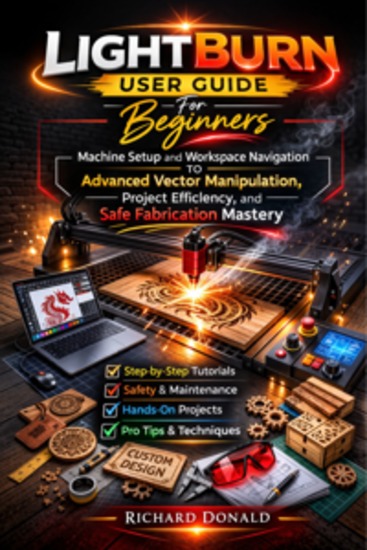
LightBurn User Guide For Beginners - Machine Setup and Workspace Navigation to Advanced Vector Manipulation Project Efficiency and Safe Fabrication Mastery
Donald Richard
Editora: BookRix
Sinopse
Master LightBurn with confidence—even if you’ve never used design software or a laser engraver before.If you’ve ever opened LightBurn and felt overwhelmed by buttons, settings, and unfamiliar terms like vectors, layers, kerf, or G-code, this book was written specifically for you.LightBurn User Guide for Beginners is a patient, visual, step-by-step roadmap that takes you from your very first installation all the way to confidently running advanced, multi-layer laser projects—without frustration, guesswork, or risky trial-and-error.Unlike rushed online tutorials or scattered forum advice, this guide is carefully structured to build real understanding, not just tell you which buttons to click. Every concept is explained in plain language, connected to real-world examples, and reinforced with practical workflows you can immediately apply.What makes this guide different?✔ Beginner-first approachWritten for absolute beginners and non-technical users, with calm explanations and zero assumptions about prior experience.✔ Complete workflow coverageYou won’t just learn how to draw—you’ll learn how to safely and accurately run real jobs, from setup to final output.✔ Hardware-agnostic guidanceWorks with popular diode and CO₂ lasers using GRBL, Ruida, and related controllers.✔ Strong emphasis on safety and reliabilityClear, practical guidance on ventilation, fire prevention, eye protection, framing, and emergency procedures—so you engrave with confidence, not anxiety.✔ Professional techniques made accessibleLearn advanced features like arrays, offsets, kerf compensation, boolean tools, print-and-cut alignment, material libraries, and camera workflows—explained in a way beginners can actually use.Inside this book, you’ll learn how to:Install and configure LightBurn correctly from day oneConnect, profile, back up, and manage your laser device settingsUnderstand homing, origins, coordinates, and job placement without confusionNavigate and customize the LightBurn workspace like a proCreate and edit shapes, text, and layouts with precisionImport and clean up SVG, DXF, PNG, and JPG artworkConvert images into clean, cut-ready vectorsMaster layers, speed, power, fill modes, and cut orderFrame jobs safely before firing the laserUse arrays, offsets, inlays, and kerf compensationTroubleshoot common beginner problems quicklyMaintain your machine for long-term accuracy and safetyThis is more than a software manual—it’s a confidence-building course in book form, designed to turn hesitation into mastery and ideas into finished projects.Whether you want to create personalized gifts, home décor, signs, crafts, or even launch a small laser business, this guide gives you the foundation to do it right—the first time.Buy a copy now and start creating with confidence today.
Disponível desde: 23/02/2026.
Comprimento de impressão: 124 páginas.