

¡Acompáñanos a viajar por el mundo de los libros!
Añadir este libro a la estantería
Grey
Escribe un nuevo comentario Default profile 50px
Grey
Suscríbete para leer el libro completo o lee las primeras páginas gratis.
All characters reduced
Quick Guideline to Prepare Paperback Book Interior and Cover Files Using Different Applications - cover

Quick Guideline to Prepare Paperback Book Interior and Cover Files Using Different Applications

Dr. Hidaia Mahmood Alassouli

Editorial: Dr. Hidaia Mahmood Alassouli

  • 0
  • 1
  • 0

Sinopsis

In order to publish and sell a Book on any publishing website, you need a ready-to-print PDF layout that supports all the requirements of the publisher system. You can create the PDF independently or use other production software like InDesign, or you can buy a paid professional production service.Book cover creation is the very last creative step when publishing a book. Thats because almost everything about the anatomy of a book cover is controlled by the final, edited version of the book: the trim size, paper color and number of pages all determine your covers dimensions. You need to design the cover after the final draft is finished. Book cover design is comprised of text and images. You must note: the front cover, back cover, spine, layout, picture, fonts, and other elements of the cover.The book consists of manuscript and cover. On the publishing website, you can upload your manuscript. The publishing website will automatically convert the manuscript to proofed PDF prior to publishing/printing.  Depending on the publishing website, you can create your book cover using Cover Creator tool or submit your book cover in a PDF.Publishing Print books at KDP amazon kdp.amazon.com, Lulu.com and notionpress.com is straightforward, as you can just upload your manuscript as a PDF, DOC, DOCX, RTF, HTML, or TXT file. Kdp.amazon.com, notionpress.com and Lulu.com will automatically convert these file types to PDF prior to publishing/printing. You can create your book cover using Cover Creator tool within the websites. The free Cover Creator helps you to create and customize your eBook, paperback, or hardcover cover with a variety of layouts and fonts. Cover Creator uses the book details you enter during title setup and adds your book's ISBN to the barcode area on the back coverBut other publishing websites such as streetlib.com, ingramspark.com, blurb.com, press.barnesandnoble.com and feiyr.com requires from the authors to prepare the Paperback book manuscript in PDF format, and to design and submit the book cover in a PDF format according to their specifications. So, the author must have good knowledge on the formatting requirements for the book interior, and needs to create a paperback cover, using design software to be able to publish in such websites.So, when you create a paperback book, you need to format and upload two files: a manuscript file, which is the interior of your book, and a cover file, which is the outside of your book including the front, back, and spine. Here I will provide the steps on how to format both files, plus tools and resources to help you get started.The report consists from the following sections:1. Book spine width calculator.2.Online cover calculators.3.Creating Barcode for the book ISBN.4.Interior and cover files specifications for publishing at KDP amazon and using the online cover creator at KDP amazon.5.Interior and cover files specifications for publishing at Lulu.com and using the online cover creator at Lulu.com.6.Quick guideline for creating a bleed for your publication on Microsoft Word.7.Quick guideline for creating a bleed for your publication on Adobe applications and other applications.8.Configuring Word so that it doesn't compress images.9.Streetlib.com Paperback book specifications.10.Feiyr.com cover templates for print on demand books.11.Creating paper cover using Canva.com.12.Creating paper cover using Adobe Illustrator.13.Creating paperback cover using Paint.net Application.14.Creating paperback cover using Adobe Photoshop Application.15.Creating paperback cover using Adobe InDesign Application.16.Creating paperback interior document using Adobe InDesign Application.17.Creating paperback interior and cover using Adobe InDesign blurb book creator.18.References.
Disponible desde: 31/12/2021.

Otros libros que te pueden interesar

  • Healing Herbs - Your Plain & Simple Guide to Plant-Based Remedies for Common Ailments - cover

    Healing Herbs - Your Plain &...

    Marlene Houghton

    • 1
    • 1
    • 0
    Over 100 Herbal Recipes for Health and Healing   Traditional herbalist Marlene Houghton helps readers tackle everyday ailments and takes the guesswork out of using herbs for optimal health. Herbal medicine is useful for a range of common complaints, and gentle and effective herbs can offer benefit where conventional medicine sometimes fails. There have been many books written on herbal medicine. This book differs from most because it is based on empowering people to take responsibility for their own health and well-being.   Included in this concrete and practical primer are all the essentials you need to know about healing herbs and their properties. Among the topics covered are:  A brief history of herbalism  An overview of how herbs heal  A glossary that includes the benefits of each herb and how to use it  A tour of the body’s systems and the herbs that make them work better  An herb dictionary  In a world that's becoming more and more focused on illness and disease, it is clearly important for individuals to learn about natural therapies and take their health into their own hands. By educating yourself in the use of traditional herbalism, you can attain a high level of well-being, and you will only need to consult a conventional doctor when you have a problem that only a medically qualified professional can handle.   This title was previously published as Herbs Plain & Simple.
    Ver libro
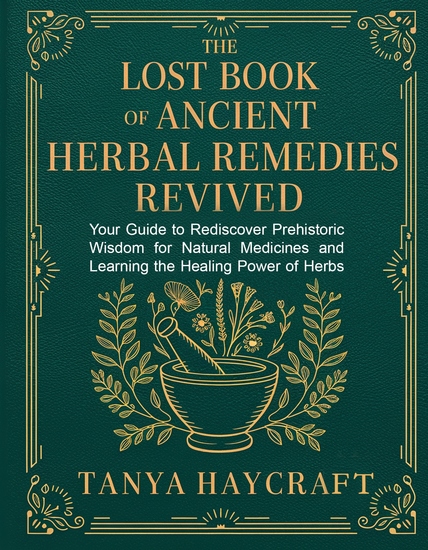
  • The Lost Book of Ancient Herbal Remedies Revived - Your Guide to Rediscover Prehistoric Wisdom for Natural Medicines and Learning the Healing Power of Herbs and Plants - cover

    The Lost Book of Ancient Herbal...

    Tanya Haycraft

    • 0
    • 1
    • 0
    The Lost Book of Ancient Herbal Remedies Revived
     
    At the edge of an ancient forest, where the air is rich with the scent of wild herbs and the whispers of long-forgotten wisdom, our ancestors discovered the power of nature’s pharmacy. They turned to the earth for healing, finding remedies in leaves, roots, and flowers that nourished both body and soul. 
     
    The Lost Book of Ancient Herbal Remedies Revived brings that timeless knowledge back to life, guiding you to rediscover the healing traditions of the past.


    This captivating guide will take you on a journey to explore:
     
    The Forgotten Wisdom of Healers: Discover how ancient civilizations used herbs to heal wounds, cure illnesses, and promote vitality.
     
    Step-by-Step Practical Applications: Learn to identify, harvest, and prepare natural remedies using easy-to-follow instructions rooted in ancient traditions.
     
    The Power of Everyday Plants: Explore the healing properties of herbs like chamomile, elderberry, and turmeric, and how they can transform your well-being.
     
    Building a Sustainable Future: Find guidance on cultivating your own healing garden and preserving the herbal knowledge of our ancestors.


    More than a book, this is a bridge to reconnecting with the earth and embracing a natural, holistic lifestyle. Whether you’re a seasoned herbalist or a curious beginner, this guide offers everything you need to unlock the healing power of herbs and plants.


    Reconnect with the wisdom of the past and start your journey toward natural wellness today.


     Get your copy of The Lost Book of Ancient Herbal Remedies Revived now and rediscover the secrets of ancient healing!
    Ver libro
